Eco friendly PC : What It Actually Means (And Why It Matters)
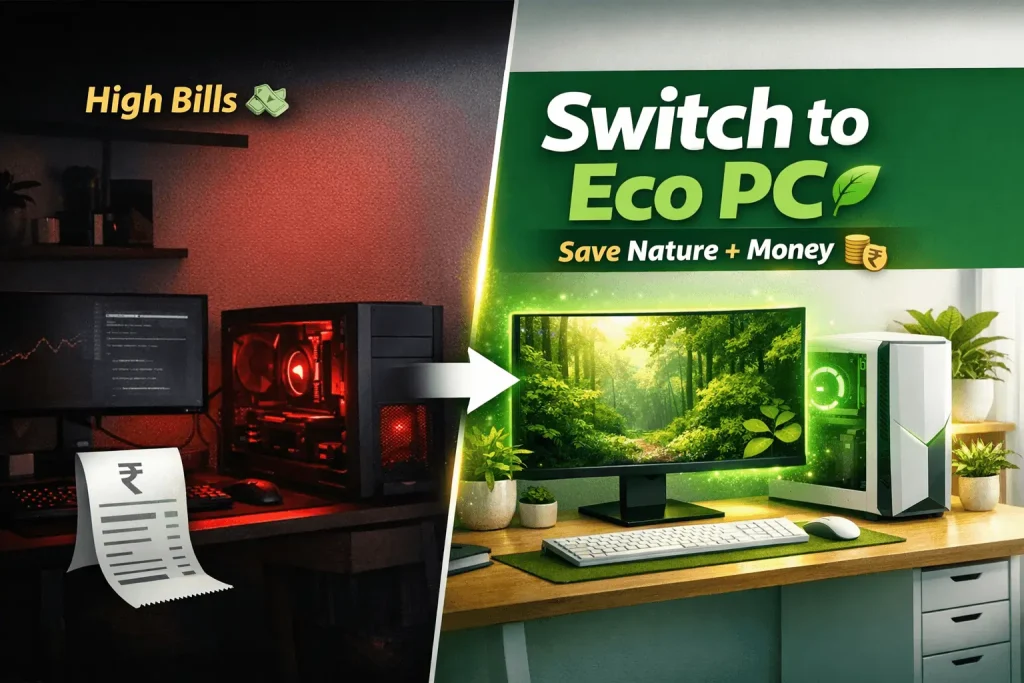
If you’re trying to make your tech setup more eco-friendly, a green PC case is a simple place to start. It’s basically a computer case designed with sustainability in mind—without making your setup complicated.
So, what makes a PC case “eco friendly”?
Eco-friendly materials
These cases often use recycled metals, plastics, or even materials like bamboo. Less waste, lower impact.
Better airflow = less energy use
The case itself doesn’t save power, but smarter airflow and cooling reduce the need for extra fans.
Recyclable design
Most green cases are easy to take apart, so parts can be reused instead of ending up as e-waste.
Built to last
They’re made to be durable—so you don’t need to replace them often.
Where do they actually work well?
Pretty much anywhere:
- Home setups → quiet, efficient, clean
- Gaming builds → supports powerful components
- Creative work → handles heavy workloads
- Small servers → energy-efficient for long runs
Why people choose them
- Lower environmental impact
- Energy-efficient setups
- Long-term durability
- Unique, natural designs (wood, bamboo, etc.)
What to keep in mind
Can be slightly heavier
Costs more upfront (but lasts longer)
Fewer options in the market
Check compatibility (especially GPUs & cooling)
Table of Contents
| Eco Friendly PC options | Notes | Approx. Price (INR) |
|---|---|---|
| Lenovo ThinkPad X1 Carbon Gen 13 | Recycled materials, EPEAT-certified, energy-efficient; business-grade, lightweight carbon fiber chassis.lenovo+1 | 1,60,000 – 2,50,000 |
| Acer Aspire Vero | 30-60% post-consumer recycled plastic chassis; eco-focused design | 50,000 – 80,000 |
| Dell Latitude Rugged / Pro series | EPEAT-certified, recycled plastics/aluminum; durable for sustainability, 2-in-1 options.dell+1 | 40,000 – 1,25,000 |
| Framework Laptop 13 (DIY Edition) | Fully modular/repairable (upgrade CPU/RAM/ports); import via forwarders, appeals to eco-upgraders.comgateway+1 | 1,00,000+ (imported) |
| Certified Refurbished laptops (e.g., Lenovo via ECS/Budli) | Extends device life, reduces e-waste; ISO-certified, warranty; i5 configs common.ecsenvironment+2 | 10,000 – 30,000 |
| Intel NUC Mini PC | Compact, low-power (energy-efficient vs. towers), available via DesignInfo/NationalPC. | 12,500 |
Eco-friendly PC Tips
Recycle your old PC
No matter how long you try to put it off, your laptop will eventually break. When that moment arrives, you’ll have to make a decision. You may either throw it away or recycle it.
It’s simple to recycle outdated laptops. Many schools and other non-profits would welcome the opportunity to utilise your old computer. Make sure your laptop is reset to factory settings before handing it over.
By recycling your computer, you are preventing it from being disposed of in a landfill. Where it might contaminate the environment by accumulating with other electronic trash and releasing hazardous chemicals. If you are up for it, you can consider assembling a PC from secondhand parts.

Power Saving Options
Many of you prefer to leave their computer on all day. Which avoids having to go through the long starting procedure every time they switch it on. You might also want to leave your computer on so that you can access it remotely or download or update a game.
Each of these arguments is correct. But leaving your laptop on for this long will waste a lot of energy. Not to add that if a computer is kept on for an extended period of time, its performance will suffer. That is why you should use the sleep functions on your computer.
Do you want to know how to save power?
There are two main modes that you should be aware of. Hibernate and go into standby mode.
Do you know, you also save nature with eco-friendly PC accessories and office eco friendly must haves? Check out these Bamboo laptop table
Standby Mode
Standby mode consumes some energy, but not nearly as much as leaving your computer on.
It turns off your computer’s display and hard disc.
All you have to do now is press a key or move your mouse, and your laptop will restart.
Because this mode keeps your computer turned on, it doesn’t take long for it to warm up and become ready to use.
Hibernate Mode
Hibernate mode consumes no energy at all.
You’ll still be able to access your computer remotely, and your device will receive updates. But it will take much longer to start back up when you need it.
Windows 10 Power saving Mode
Changing the power plan settings on a PC is one of the simplest things a eco-friendly PC owner can do. You have some basic controls built into the settings programme. You should at the absolute least configure your PC screen to switch off after a time of inactivity. It isn’t sitting there on full brightness wasting power when you walk away.
You’ll also discover some more complex power plan choices on the control panel, with more factors to adjust. These will include a battery saver on a laptop, but on a desktop, you’ll see terms like balanced, power saving, and high performance.
Now you may ask what about our Consoles?
So here is the video which will help you to save energy from the console.
Save Resources
Your PC isn’t the only piece of workplace equipment that consumes energy. Your printer is no exception. Turn it off until you’re ready to use it.
Printing front and back might help you save money on paper. Make sure you only print the final version of anything and that you don’t print emails unless it’s really necessary.
Grab these eco-friendly backpacks rather than regular ones. It will make your contribution in saving nature.
Give your E-waste to e-waste collector Organizations
What do you do about your E-waste?
Do not throw it in nature, which will harm it. Instead of that, give it to the e-waste collector organizations. They will make good use of your e-waste. Also you can get a feeling of saving nature.
| Mumbai | http://www.ewri.in |
| Bangalore | https://www.brpinfotech.in/e-waste-recycling-bangalore/ |
| Chennai | http://www.greenit.co.in/e-waste-recycling-services-chennai.html |
| Kolkata | http://vitalwaste.com |
| Delhi | http://ewasterecyclehub.com/ |
Take proper care of your PC
The longer you can keep your computer from needing to be replaced, the better. As a result, taking care of your gadget is one of the most environmentally friendly things you can do.
Defrag the RAM at least once a month to prevent the computer from overheating and wasting energy. Defragging will also help your computer run faster, so it’s a win-win situation.
Viruses are capable of infecting any laptop. Many people believe that MacBooks are incapable of obtaining them, however they are incorrect. Invest in the finest virus protection for Mac to avoid a system crash.
Go green with Accessories
The future has arrived!
Do you know laptop accessories made of bamboo are available?
There are several companies that provide laptops with numerous energy-saving features.
Computer accessories made of bamboo are also available. A bamboo computer mouse is comparable to a regular plastic mouse in price.
Sound-proof bamboo headphones are ideal for when you need a little peace and quiet while working. Sustainable materials are also used to make laptop carrying cases and flash drives.
Consider getting a laptop with rechargeable/reusable components if you can. Some of these characteristics may come at a higher cost, but the environment will thank you.
As we discussed above, grab these bamboo keyboard & mouse and go green.
Other Tips
- If you’re simply doing light tasks like working or surfing the web, you may underclock or undervolt your CPU. When gaming, a nice overclock is nice, but Microsoft Word doesn’t require it.
- SSDs should be used whenever feasible. As HDDs do not consume massive amounts of power, they are inefficient.
- When you’re not utilising a peripheral device, unplug it. Do you require several displays to be turned on at all times? What about additional accessories, like speakers, soundbars, ports, and lighting? Turn off or unplug anything that isn’t in use from your computer.
- Use wake on LAN instead of leaving the PC on all the time. If there are occasions when you need it on without being in front of it, such as for remote access.
Making a few modifications to your laptop or PC will save you a lot of money. So what are you waiting for, make all these changes to make Eco-friendly PC.